

Your VPN hides your IP. GeoCeptor teleports your real GPS.

VPNs only mask your IP. Websites and apps still read your physical GPS. GeoCeptor delivers zero-cable spoofing in Safari, plus device-wide GPS simulation across all native iOS apps via Mac Companion.

22,000+ downloadsZero cables in SafariOn-device privacy
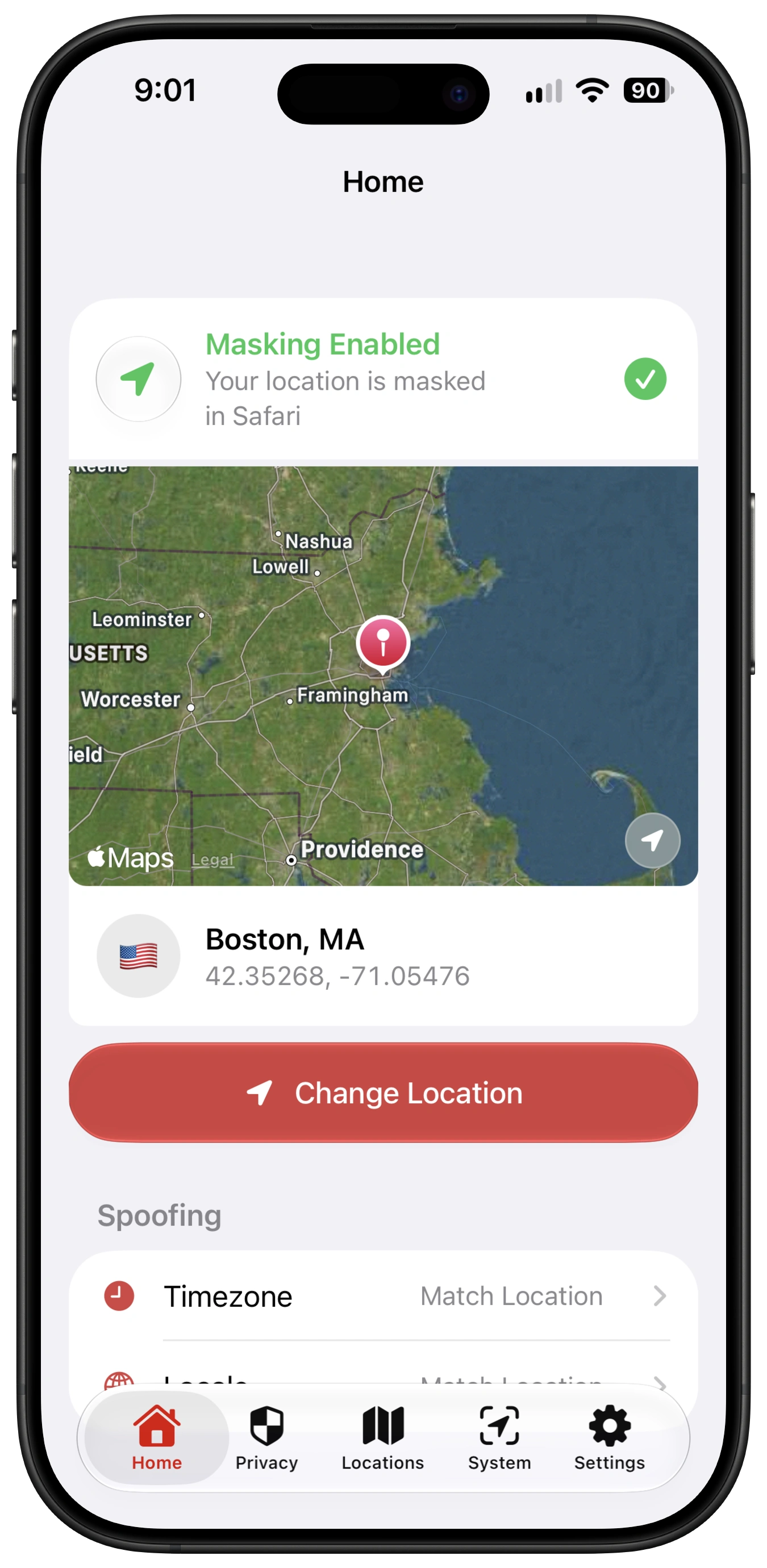
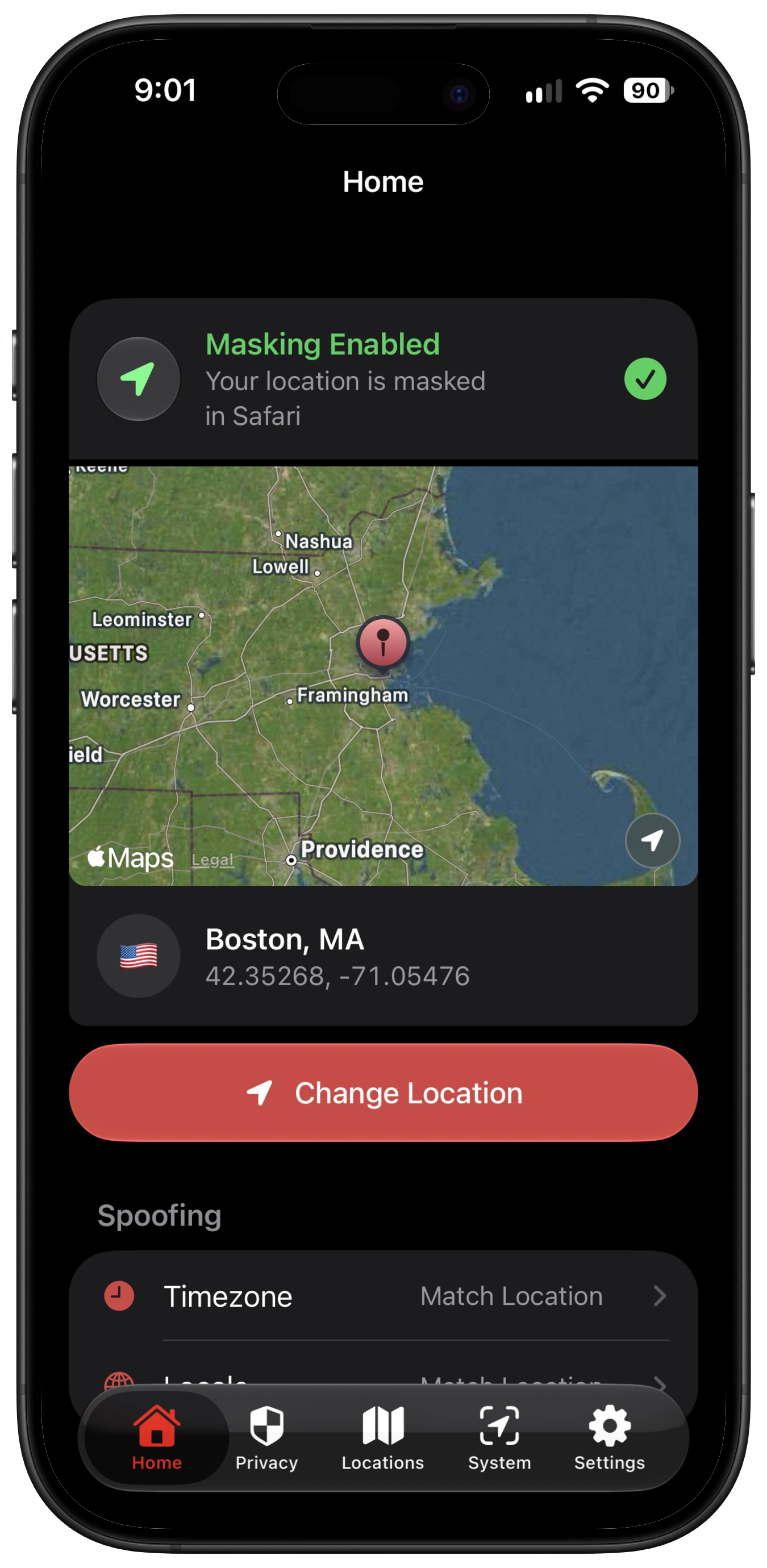
GeoCeptor v1.4 showing location masking enabled in Safari on iPhone

Device-wide iPhone GPS spoofing, plus precise Safari controls.

Set a device-wide location for native iPhone and iPad apps with Mac Companion, or use GeoCeptor directly in Safari with zero cables.

GeoCeptor for Safari

On-device location control, wherever Safari goes.

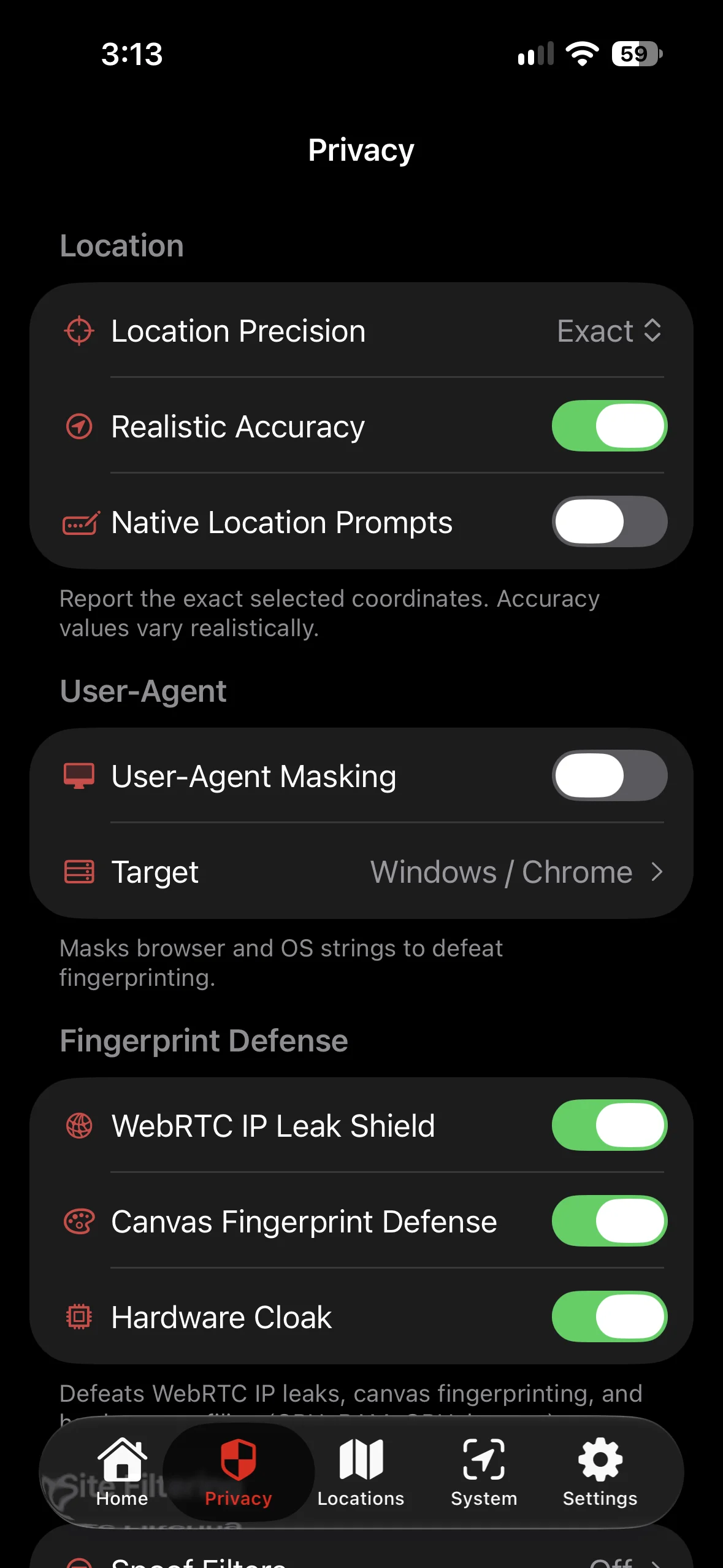
Operates natively inside WebKit on iPhone, iPad, and Mac. Intercepts HTML5 coordinates, aligns your JavaScript clock, and injects canvas noise with zero computer tethering.

Zero tethering
Runs entirely on-device inside Safari.
Timezone sync
JavaScript clocks and DST offsets match the destination.
Fingerprint defense
Blocks WebRTC leaks and randomizes canvas hashes.
Apple platforms
One App Store app for iPhone, iPad, and Mac.
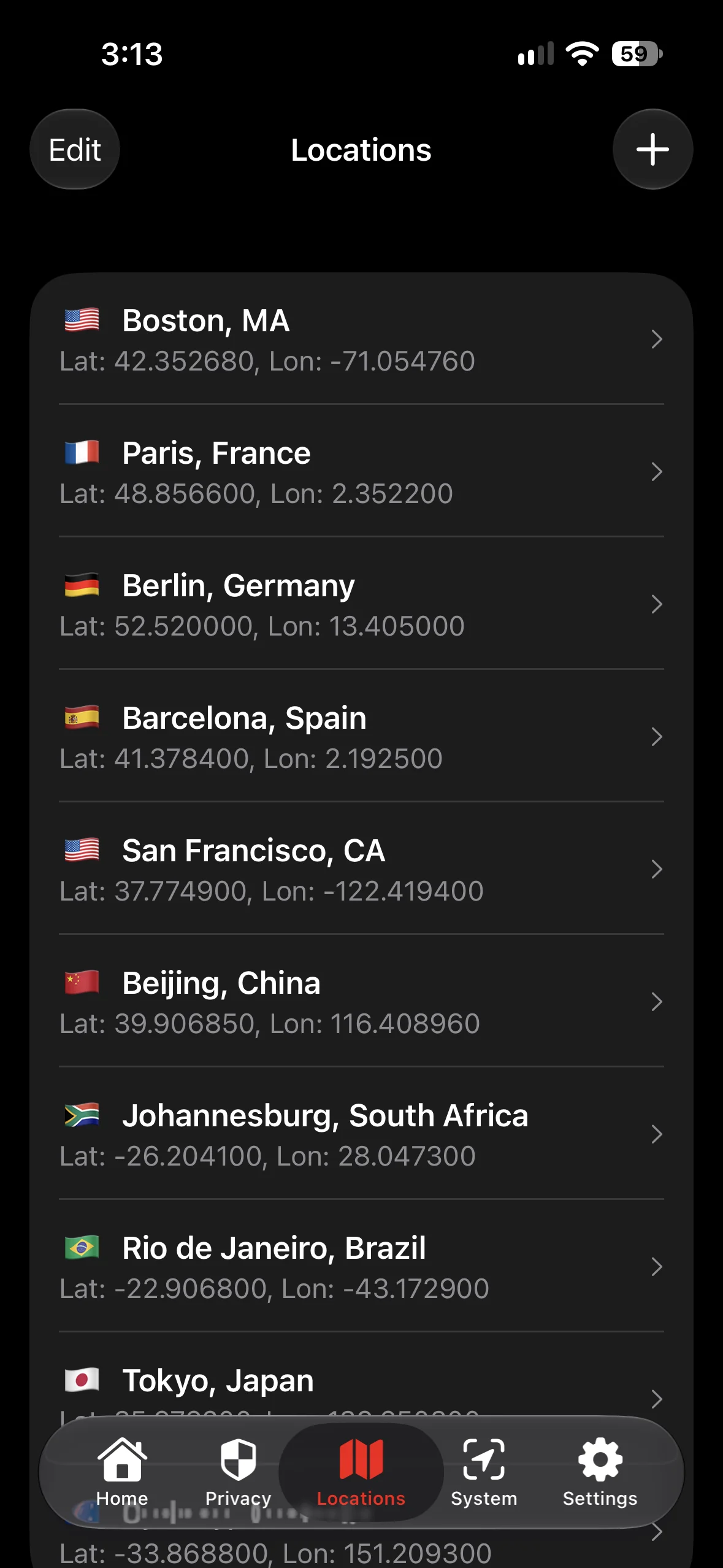
GeoCeptor saved locations screen on iPhoneGeoCeptor Safari privacy settings on iPhone
Saved locationsSafari privacy controls
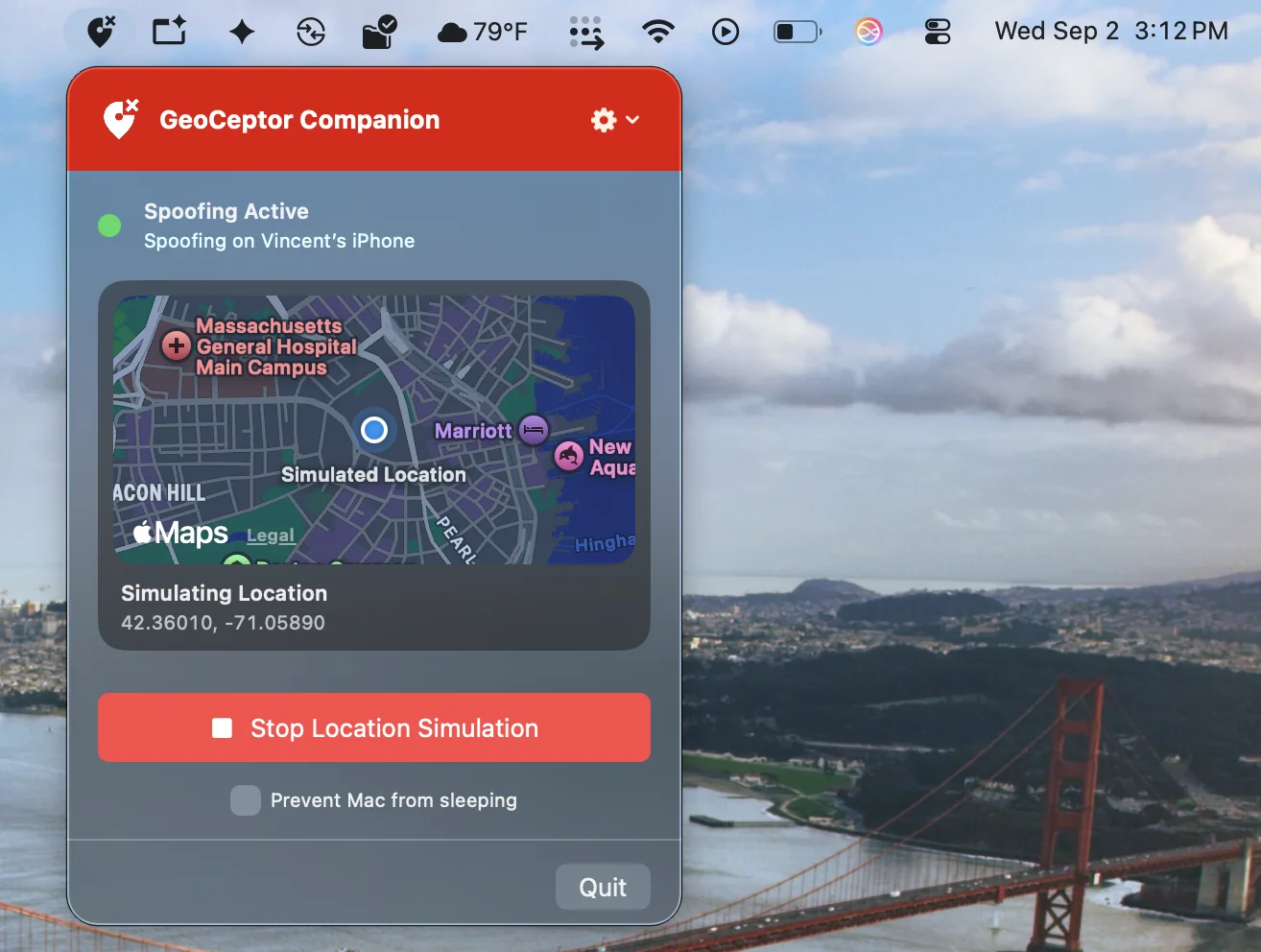
GeoCeptor Companion running as a macOS menu bar app
GeoCeptor CompanionmacOS 14+

GeoCeptor Companion

Device-wide GPS for native iPhone apps.

Turn your Mac into a location driver. GeoCeptor Companion mounts official Apple Developer Disk Images to simulate GPS across native iOS applications, not just inside a browser tab.

CoreLocation
Simulates hardware GPS across native iOS apps.
Wireless control
Pair once over USB, then control locations over Wi-Fi.
Live movement
Directional nudges and Dynamic Island status.
GPX playback
Replay walking, cycling, or driving routes.

GeoCeptor Companion is designed for development, testing, and debugging workflows.

Everything your VPN misses, handled in Safari.

Websites track more than your network address. GeoCeptor keeps the browser signals around it consistent with the location you choose.

See what websites can detect
GPS

HTML5 geolocation

Websites can query device GPS and Wi-Fi positioning through navigator.geolocation.

GeoCeptor overrides latitude, longitude, altitude, and accuracy in real time.

TZ

JavaScript clock and DST

Runtime clocks and historical daylight-saving offsets can reveal a mismatch without asking permission.

Your virtual clock stays aligned with the selected IANA timezone.

RTC

WebRTC network paths

Peer-to-peer STUN requests can expose local network addresses behind a VPN tunnel.

Candidate gathering is intercepted inside Safari.

2D

Canvas fingerprint

Sub-pixel GPU rendering can be hashed into a persistent browser signature.

Imperceptible mathematical noise changes the resulting canvas fingerprint.

CPU

Hardware concurrency

Processor core counts and memory parameters add entropy to a device profile.

Hardware values and profiling headers are masked.

From download to anywhere.

Choose the path that matches where you need location control.

01

Download from the App Store

Install GeoCeptor directly on iPhone, iPad, or Mac. It is distributed through the official Apple App Store.

02

Enable the Safari extension

Open Safari Settings, choose Extensions, and turn GeoCeptor on to allow on-device coordinate interception.

03

Pick a location and teleport

Drop a map pin or search any city. Safari begins broadcasting the selected GPS location and aligned privacy signals.

A VPN changes the network. GeoCeptor changes the signals.

The two tools cover different layers. Together they keep IP, GPS, time, and browser telemetry aligned.

Safari HTML5 GPS spoofing

GeoCeptor + VPN
On-device
VPN alone
IP address only

System-wide native iOS GPS

GeoCeptor + VPN
With Companion
VPN alone
Not included

Timezone and clock alignment

GeoCeptor + VPN
Automatic
VPN alone
Real timezone remains

WebRTC and canvas defenses

GeoCeptor + VPN
Shielded
VPN alone
May remain exposed

Cable-free use

GeoCeptor + VPN
Wireless
VPN alone
Wireless

Questions, answered plainly.

The important distinction: Safari spoofing is on-device. Native-app GPS simulation uses the Mac Companion.

Can I spoof my location across native iOS apps?

Yes. Pair your iPhone or iPad with GeoCeptor Companion for Mac to simulate hardware-level GPS system-wide for development, testing, and debugging. The standalone GeoCeptor Safari extension remains the zero-cable option for browser-based location changes.

Can I bypass local sports blackouts or YouTube TV location blocks in Safari?

Regional services can check browser GPS and timezone in addition to IP address. GeoCeptor aligns those Safari signals with the region selected through your VPN.

Is GeoCeptor meant to replace my VPN?

No. GeoCeptor is engineered to work alongside a VPN. The VPN encrypts traffic and changes your IP address; GeoCeptor covers browser GPS, WebRTC, timezone, and fingerprint signals.

How does timezone and locale spoofing work?

When you set a virtual location, GeoCeptor calculates the matching timezone and language parameters and overrides the corresponding JavaScript calls inside Safari.

What are WebRTC leaks?

WebRTC can expose local or public network addresses through peer-connection candidates. GeoCeptor intercepts those candidates inside Safari to prevent that signal from leaking past a VPN.

How does canvas fingerprint defense work?

Tracking scripts can hash subtle GPU rendering differences into a device signature. GeoCeptor introduces imperceptible mathematical variations into canvas image data.

Do I need a Mac to use GeoCeptor on iPhone?

Not for Safari. The Safari extension runs entirely on-device. A Mac is only required when you want system-wide GPS simulation across native iOS apps through GeoCeptor Companion.

Does GeoCeptor require a jailbreak?

No. GeoCeptor is distributed through the official Apple App Store and operates within Apple’s extension sandbox.

GeoCeptor app iconGeoCeptor for iPhone, iPad, and Mac

Your location is your business.

Join over 22,000+ privacy-conscious users. Teleport in Safari with zero cables, or simulate GPS across native apps with GeoCeptor Companion.

Compatible with macOS 14.0+ and iOS/iPadOS 15.0+ · Official Safari Web Extension and Companion App